





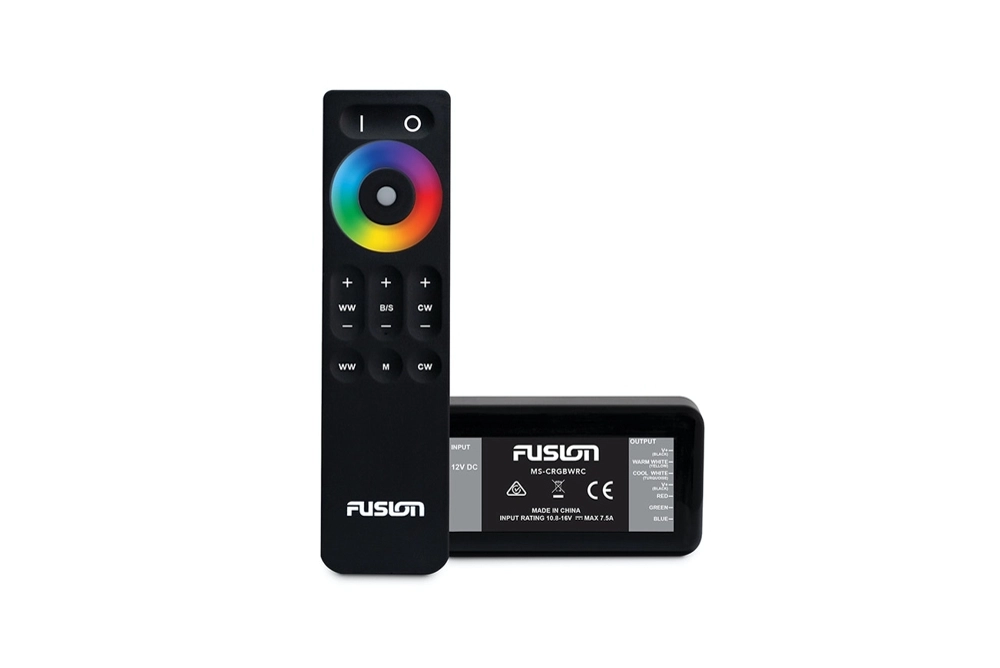


Fusion MS-CRGBWRC Lighting Control Module with Wireless Remote Control
Item no longer available -
contact us for
an alternative.

Find In Store
Deliver to:
Auckland 1026,
NZ
Estimated:
$5.99
2-hour Click & Collect:
(order before 3pm, in-stock products only)
Our Auckland Shop
Free
Buy Now, Pay Later with
Find Local Store

Buy Now Pay Later with Afterpay. Available for purchases between $99 and $2000.
QCard No payments or interest for 12 months*
Minimum spend $200. Lending criteria, $50 annual Account Fee, fees, Ts&Cs apply. At end of interest free period, Q Mastercard Expired Promotional Rate or Q Card Standard Interest Rate of 28.95% p.a. applies (see Ts&Cs for Q Mastercard Standard Interest Rate). $55 Establishment Fee or $35 Advance Fee applies.
*See here for full T&C
Report incorrect product information
Unprecedented spectrum of colours
Enhance your on-water audio entertainment experience with premium CRGBW lighting. The Fusion MS-CRGBWRC Lighting Control Module with Wireless Remote Control allows you to enjoy full control of the LED illumination options of your Fusion CRGBW speakers and subwoofers.
This portable wireless remote will function up to 10m from the speaker lighting control module, giving you total convenience and freedom to adjust the illumination from anywhere on board your boat. Experience an unprecedented spectrum of colors with the ability to combine RGB with Cool White or Warm White with the press of a button, and quickly adjust the colour using the intuitive color select wheel.
Fusion MS-CRGBWRC Lighting Control Module with Wireless Remote Control Features:
- Input Voltage: 10.8 to 16 V DC
- Operating Temperature: 0 degrees C to 50 degrees C
- Output Current: 2A max. per colour
- Speakers/Subwoofers Controlled: Up to 5 pairs of CRGBW speakers or 5 CRGBW subwoofers
- Battery Type: AAA (2 batteries required)
- Radio Frequency Range: 2.4 GHz
- Effective Range: 10 metres (30 ft.) from the speaker lighting control module
Some of our product deals are strictly limited - once they're gone, they're gone! Secure yourself this amazing deal while stocks last...by clicking the Add to Order button above.